
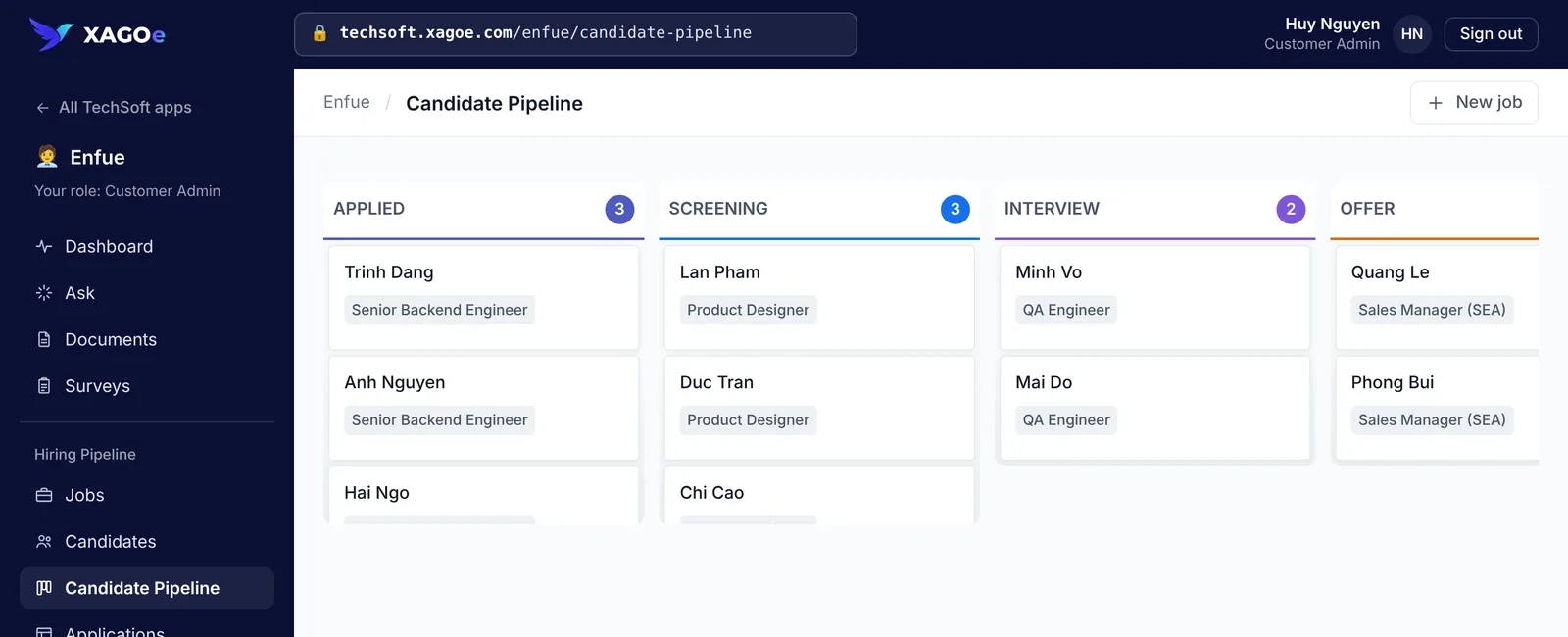
Enfue
Recruitment product built on XAGOe
Hiring pipelines each recruiting team can shape to how it hires. The recruitment model, its stages and screens are configuration on XAGOe, not separate code.
Read the case study The business application platform
Because every department runs on its own tools. XAGOe puts the whole company on one platform.
Sales, HR, Finance, Operations, Projects and Support each buy their own tools. Costs grow with every one, data is retyped between them, and nobody sees the whole company.
XAGOe is one platform where every department builds and runs the applications it needs, with one workspace, one set of people and one way of working.
And mapped for 15 processes across sales, HR, finance, operations and service:
Each tool fixed a problem for one team. Together they cost more every year, keep the same data in different places, and leave the work between departments to email and spreadsheets.
See how XAGOe worksEvery department, its own tools Illustrative example
One workspace for every department Real product screen
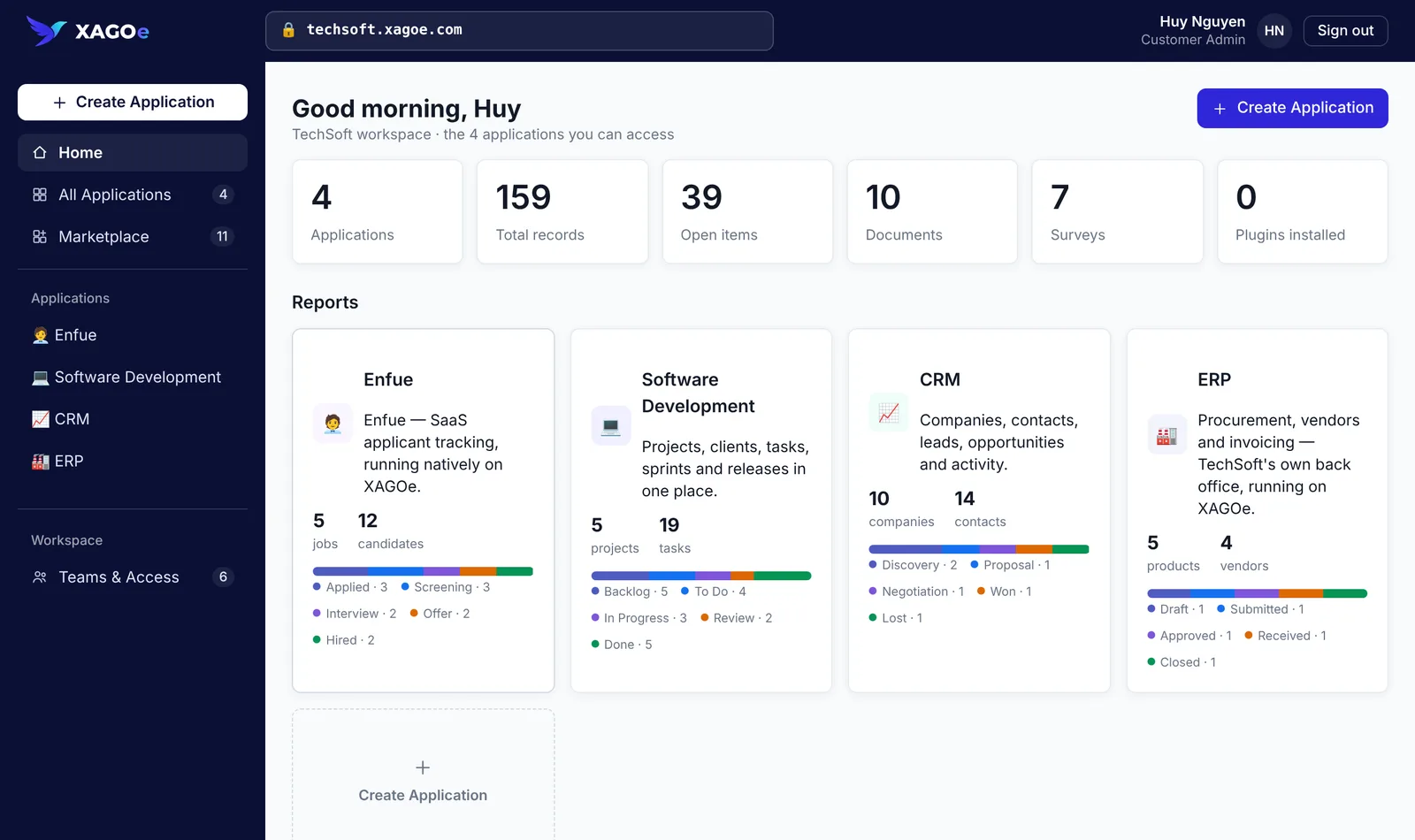
TechSoft.one's workspace in the XAGOe prototype. Connections to outside systems are planned, so today XAGOe replaces the spreadsheets, email and single-team tools around your processes, not your accounting system.
Not a tool for one department. One platform for all of them.
It isn't an IT problem. Every leader pays for it, in a different way.
Every report is rebuilt by hand from systems that don't talk to each other, so decisions are made on old data.
With XAGOe
Every department's work lives in one workspace, with boards and dashboards over the same records.
A subscription per department, overlapping apps and integrations to pay for and maintain, renewed every year.
With XAGOe
New needs become applications on the platform you already have, instead of another tool for each team.
Hand-offs between Sales, Finance and Operations run on email, chat and spreadsheets, and work falls through.
With XAGOe
Each process is one record that moves through clear stages, with rules that notify the next owner.
Every tool has its own users, access rules and integrations, and nobody has the full picture of who can see what.
With XAGOe
One workspace, one set of people and teams, with a role per application.
Each department gets the applications it needs, shaped to how it works, in the same workspace as everyone else.
Every deal has an owner and a next step.
Candidates move from application to hire without a spreadsheet.
Work, reviews and billable hours tracked per client.
Requests approved by the right people, then ordered and received.
Inspections and issues followed through to sign-off.
Outside partners submit and follow requests while your team approves.
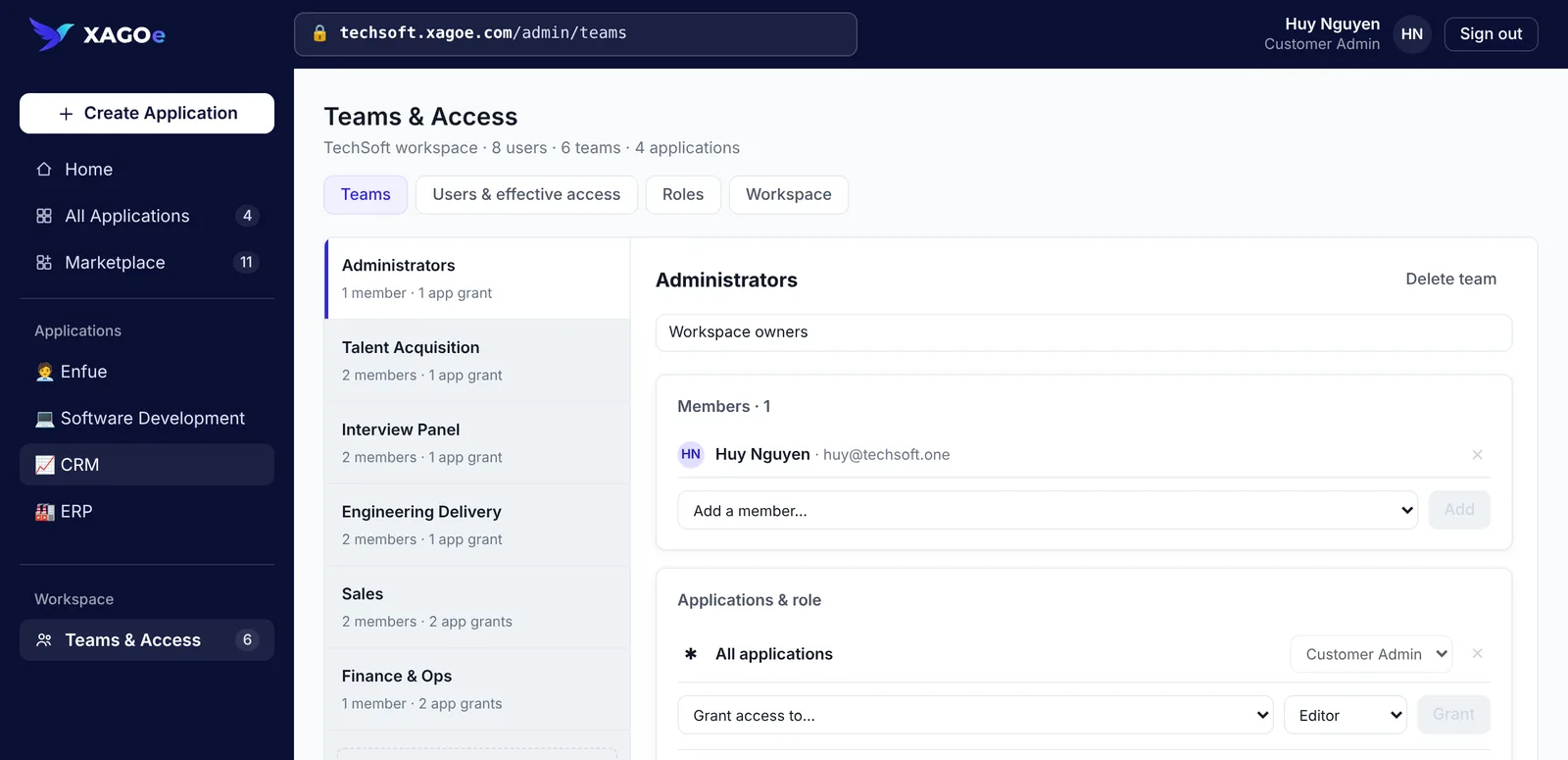
Instead of buying another tool for each department, every application is built from the same building blocks, in one workspace, and changed as the business changes.
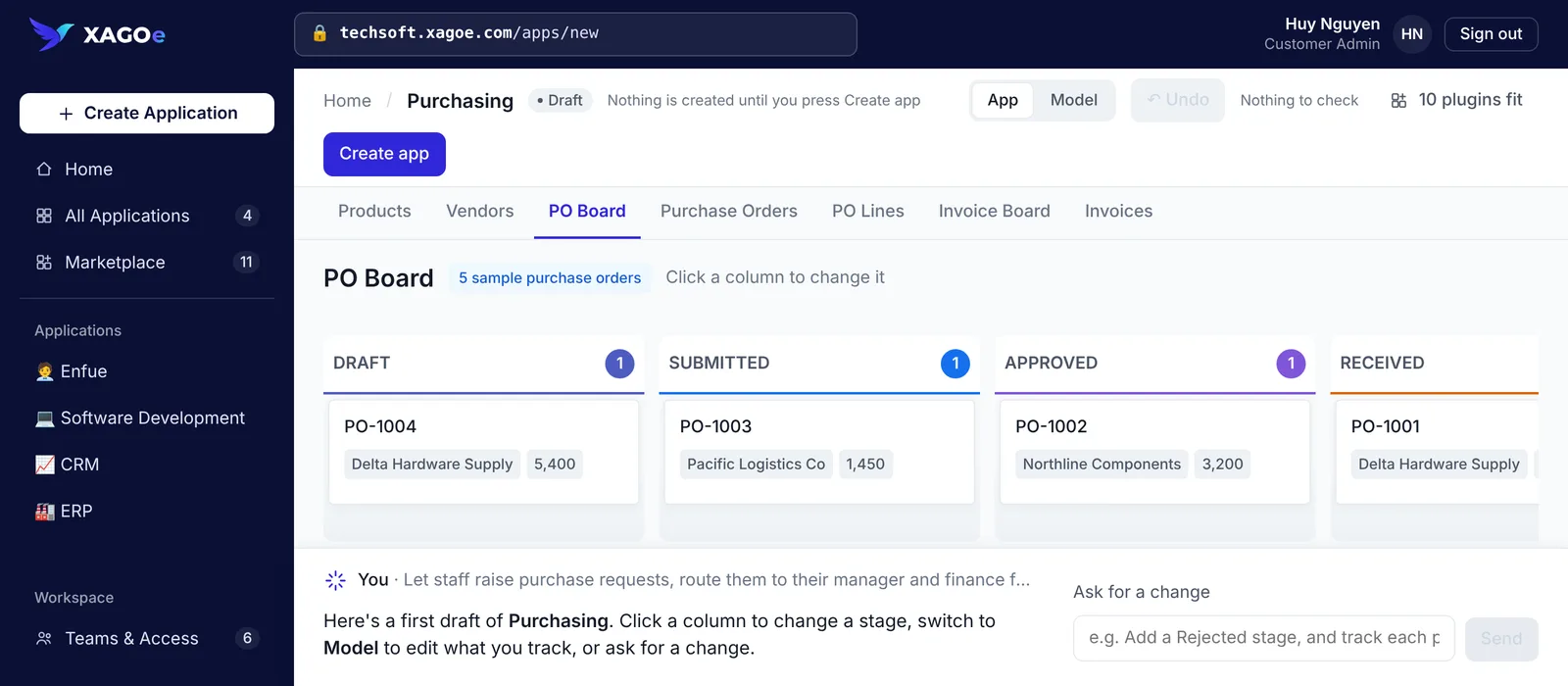
Purchasing is one example. Every department's application is built the same way. These are screens from the XAGOe prototype.
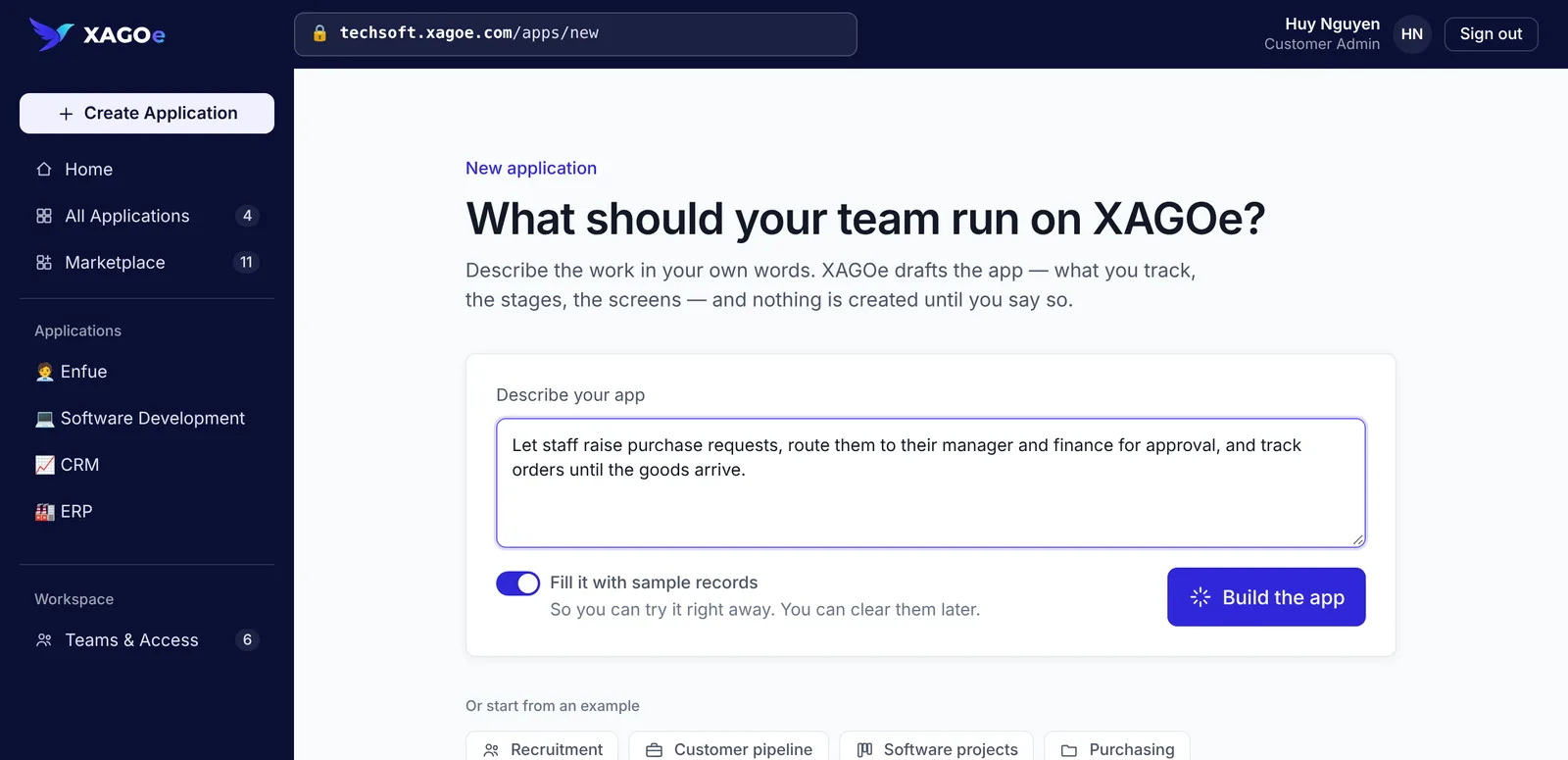
Describe. Say what the work is in your own words, or start from an example. Nothing is created until you say so.
The prototype runs in your browser and keeps changes on your device. Its drafting assistant is simulated: it starts from the closest of five example apps.
Enfue
Hiring pipelines each recruiting team can shape to how it hires. The recruitment model, its stages and screens are configuration on XAGOe, not separate code.
Read the case study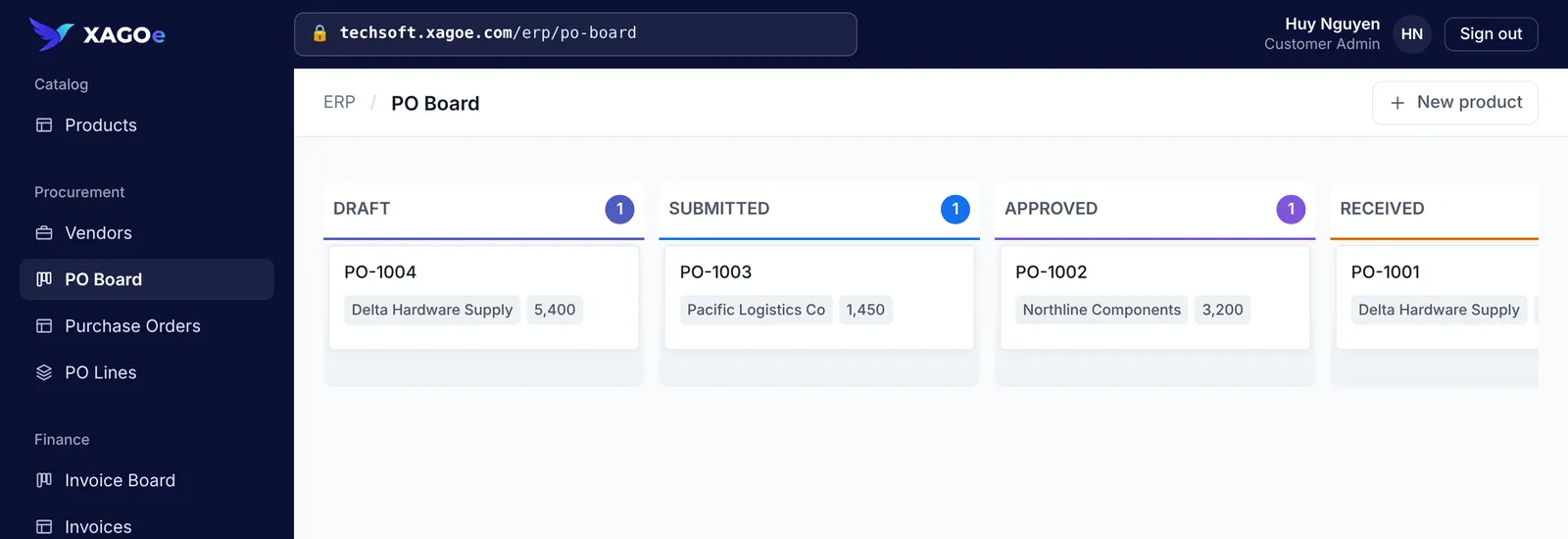
TechSoft.one
Purchase orders move from draft to closed on one record, approved by the right people and visible to Finance.
Read the case study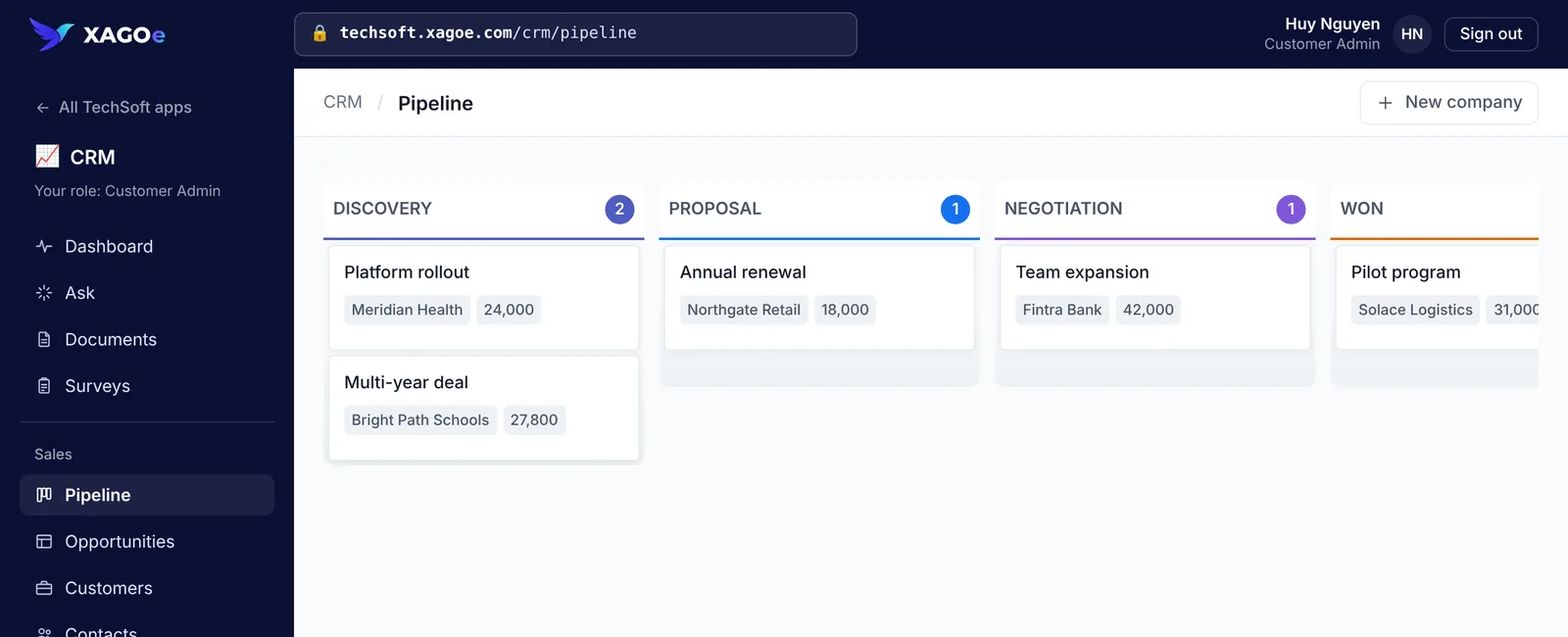
TechSoft.one
Every opportunity has an owner, a value and a stage, from discovery to won.
Read the case study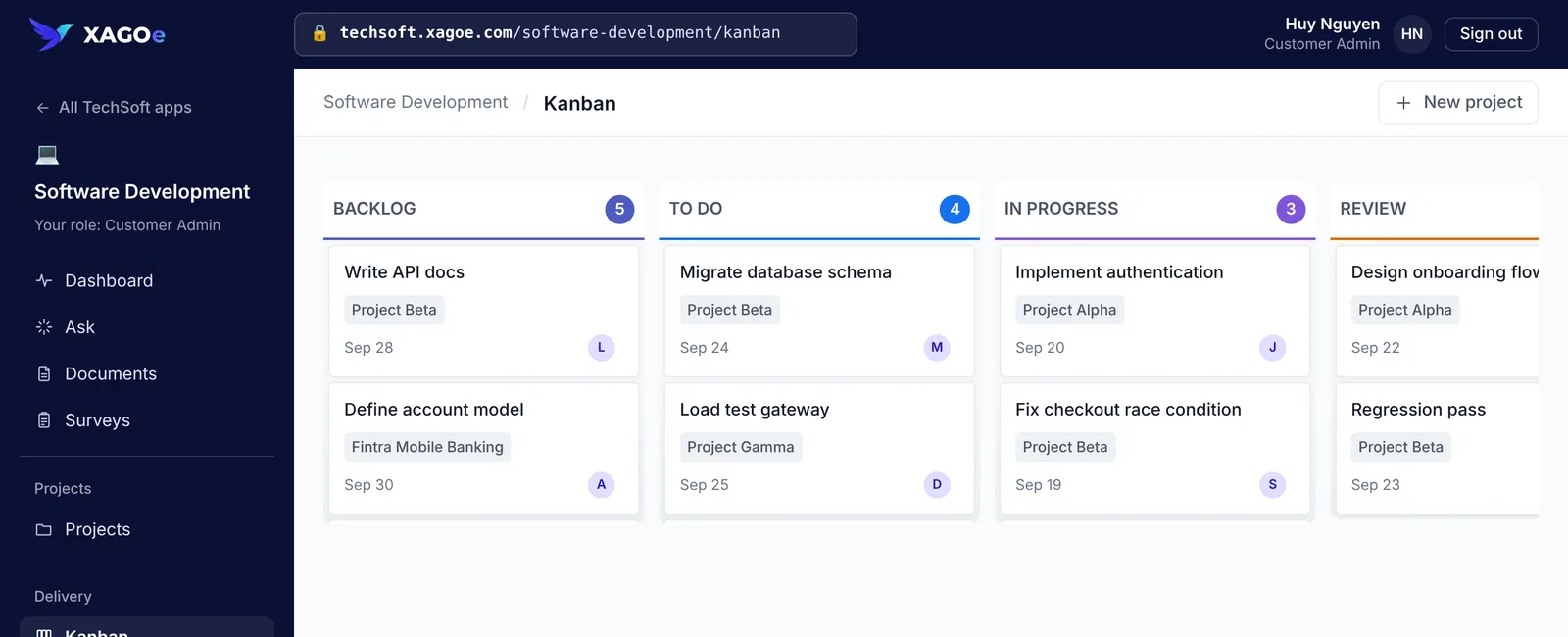
TechSoft.one
Tasks for each client project move across one board, from backlog to review.
Read the case studyCounts from TechSoft.one's workspace in the XAGOe prototype.
New needs become applications on the platform you already have, not another subscription.
The workspace shows every application's records and stages, so you don't chase updates.
Rename stages, add fields and adjust rules in a live app. Changes apply right away.
Each team gets a role per application, managed in one place.
No. XAGOe is one platform for the whole company. TechSoft.one runs sales, finance and purchasing, and software delivery on it, and Enfue's recruitment product is built on it. Each department builds the applications it needs in the same workspace.
When a process outgrows its tools, most companies buy another tool for that department, connect more apps together, keep it in spreadsheets and email, or commission custom software. Each fixes something for one team and adds cost for everyone. XAGOe is a different path: keep the tools that work, and build the applications every department is missing on one platform your own team can change.
Not all at once, and not your accounting system. Start with the processes that live in spreadsheets, email and chat, or in tools bought for a single team, and keep the tools that work. Connections to outside systems are planned.
In the prototype today: data and relationships, boards, tables and dashboards, workflow stages and automation rules, roles per team, and documents and surveys. Ask searches your records and cites its sources. Drafting an app from a description is simulated: it starts from the closest of five example apps. Connections to email, calendars, chat and outside systems are planned.
Yes. Your workspace holds your people and teams. Each team gets admin, editor or viewer access to each application, and teams without a role in an application don't see it.
Only people your admins add can sign in to your workspace, and you can follow who created, approved or moved what. The live prototype keeps everything in your own browser. More on Security and Enterprise.
Explore the live prototype today, with no sign-up. For early access, tell us about one process in any department: we open workspaces in small groups and help you build your first application. Add the next department when you're ready. It's free during early access.
Go Extra. Go Easy.
Start with the process that hurts most. Add the next department when you're ready. Every application shares the same workspace, people and permissions.
No sign-up needed for the prototype.